

LLM Model Routing: A Practical Guide for AI Engineers
20 min read

LLM model routing is the layer that decides, per request, which model or provider actually handles a prompt, based on cost, latency, quality, or task complexity. For most production systems, start with a hybrid architecture: a lightweight pre-classifier that scores each request, a cascade that escalates to stronger models only when needed, and sticky sessions so multi-turn conversations don’t flip models mid-thread. The objective you tune for should match your use-case: chat products usually optimize cost first, agent workflows usually optimize quality and resilience first.
If you want a shortlist to start prototyping today:
- Steel — The Agent Games — best if you’re building or running competitive AI agents that need persistent identity, multivendor inference selection, and routing tuned for high-frequency agent decisions rather than chat turns.
- OpenRouter — best if you want provider-agnostic routing that automatically finds the cheapest available endpoint with fallback chains built in.
- AWS Bedrock’s prompt routing — best if you’re already on AWS and want a managed complexity classifier handling intra-family routing without building your own.
Key Takeaways
The most effective LLM model routing systems combine a lightweight classifier with cascading escalation and task-specific evaluation, since matching routing paradigm to actual traffic patterns delivers most of the available cost and quality gains.
| Point | Details |
|---|---|
| Start hybrid, not single-paradigm | Combine a classifier-based pre-router with cascading escalation rather than betting on one approach. |
| Cost savings are real but scoped | AWS reports roughly 30% cost reduction, but only for intra-family, mixed-complexity workloads. |
| Evaluate agents differently | Use tool-call accuracy and schema pass rate for agent workflows, not general chat benchmarks like MT-Bench. |
| Build observability before scaling | Log route decisions, quality signals, and per-model cost from day one, not after an incident. |
| Agent-scale routing needs agent tooling | Steel — The Agent Games pairs multivendor inference selection with persistent agent identity for competitive, high-frequency routing decisions. |
Table of Contents
- Comparing the Leading LLM Model Routing Platforms
- What Is LLM Model Routing and When Do You Need It?
- Which Routing Paradigm Should You Use?
- How Do You Architect a Router for Production?
- How Do You Test and Evaluate a Routing System?
- What Operational Risks Come With Running a Router?
- How Do You Prototype a Router in a Day or Two?
- What Does the Research Actually Say About Routing Outcomes?
- Which Routing Pattern Fits Your Use-Case?
- An Engineer’s Take on Routing Trade-offs
- Where Steel Fits Into Your Routing Strategy
- Frequently Asked Questions
- Sources
Comparing the Leading LLM Model Routing Platforms
Nine platforms dominate the conversation around dynamic model routing right now, and they split cleanly into three camps: open-source libraries you self-host, managed cloud features, and gateway products that sit in front of your model calls.
| Platform | Best for | Routing paradigms | Provider coverage | Cost controls | Failover | Observability | Deployment |
|---|---|---|---|---|---|---|---|
| Steel — The Agent Games | Agent orchestration, high-frequency agent inference | Dynamic, LLM-assisted | Multivendor inference selection | Per-agent inference budgeting | Persistent agent state with retry logic | Agent performance history, stats, rankings | Managed platform |
| LLMRouter (ulab-uiuc) | Self-hosted, code-first routing | Classifier-based, cascading | Depends on integration | Custom (build your own) | Custom (build your own) | Custom (build your own) | Self-hosted, open-source |
| AWS Bedrock (prompt routing) | Managed routing on AWS | Static, dynamic (complexity classifier) | Intra-family (same provider) | Managed classifier reduces overcalls | Managed by AWS | Bedrock console metrics | Managed, SDK |
| Braintrust | Platform-level routing policy and governance | Dynamic, rules-based | Multi-model | Budget policy controls | Platform-managed | Policy and routing traces | Managed platform |
| OpenRouter | Provider-agnostic cheapest-route | Dynamic, cheapest-available | Broad, cross-provider | Cheapest-route constraints | Fallback chains | Request-level logs | Managed gateway, SDK |
| Vercel AI Gateway | Traffic splits and route versioning | Dynamic, percentage splits | Cross-provider | Budget and rule-based | Instant rollback | Version-level tracing | Managed gateway |
| Portkey | Combined gateway + routing rules | Rules-based, dynamic | Cross-provider | Budget limits | Fallback and retries | Gateway-level tracing | Managed gateway, SDK |
| LiteLLM | Low-latency self-hosted deployments | Static, dynamic | Broad, self-configured | Custom (build your own) | Custom (build your own) | Custom (build your own) | Self-hosted, SDK |
A few pros and cons worth knowing before you commit engineering time:
- LLMRouter (ulab-uiuc) gives you full control over classifier logic since it’s open-source, but you own every piece of the observability and failover stack yourself.
- AWS Bedrock’s prompt routing ships a managed complexity classifier that reportedly delivers close to a 30% average cost reduction for mixed-complexity workloads, but it only routes within a single model family.
- OpenRouter is the easiest way to get cheapest-available routing across providers, though you trade away some fine-grained control over exactly which model variant answers a given request.
- Vercel AI Gateway has genuinely good developer ergonomics for traffic splits and instant rollback, which matters most for teams iterating fast on routing rules.
- LiteLLM is the pick when network hops themselves are your latency bottleneck, since it minimizes provider variability by running close to your inference layer.
For docs and repos: LLMRouter is hosted on GitHub under ulab-uiuc, AWS Bedrock’s routing features are documented in AWS’s console and blog, and OpenRouter, Portkey, and Vercel AI Gateway all publish public API docs. Braintrust’s routing capabilities are detailed on its own best-LLM-routers writeup.
What Is LLM Model Routing and When Do You Need It?
LLM model routing is the decision layer that sits between your gateway and your pool of model endpoints, choosing which model handles each individual request. Picture the stack as three tiers: client → gateway → router → model pool. The gateway handles network concerns (auth, rate limiting, request logging), while the router makes the actual model-selection decision. As OpenLegion’s architecture breakdown puts it, these are complementary layers, not the same thing, and conflating them is where a lot of routing implementations go wrong.
You don’t need a router on day one. Most teams add one when they hit a specific pain point, not because a blog post told them routing is best practice. Watch for these signals:
- Your inference bill is dominated by a single frontier model handling requests a cheaper model could answer just as well.
- You’re running multiple task types (chat, summarization, tool-calling) through one model and quality varies wildly by task.
- P95 latency complaints are piling up because every request, easy or hard, waits on your slowest, most capable model.
- You’re building multi-agent orchestration where different agents need different model strengths at different steps.
The economics get stark fast. Frontier models can cost 10 to 20 times more per token than mid-tier models, and OpenLegion’s illustrative case shows that routing 70% of queries to a cheaper model can cut total cost by around 65% versus always calling the strongest one. That’s the calculus every routing decision boils down to: how much quality are you willing to trade for how much cost or latency saved, and does that trade differ by request type.
Pro Tip: Before building anything, log 48 hours of real production traffic with your current single-model setup and manually tag which requests actually needed your strongest model. That tagged dataset becomes your first router training set and it costs nothing but time.
Which Routing Paradigm Should You Use?
Six paradigms dominate current routing systems, according to a recent survey of dynamic model routing and cascading techniques: classifier-based, cascading, semantic, LLM-assisted, structural, and hybrid. Most production systems don’t pick just one.
-
Classifier-based (difficulty-aware) routing trains a lightweight model to score request complexity and route accordingly. It uses features like prompt length, keyword patterns, and historical difficulty signals. Latency overhead is minimal since the classifier runs in milliseconds, and RouteLLM’s experiments showed this approach can cut strong-model calls by roughly 40% while keeping MT-Bench degradation under 5% for conversational tasks. It works best for chat products and general Q&A, but that MT-Bench number comes with a real caveat: agent and tool-call tasks need their own evaluation, not conversational benchmarks.
-
Cascading routing starts every request on a cheap model, then escalates to a stronger one only if a post-generation quality estimator flags the output as insufficient. This trades a bit of latency (you sometimes pay for two model calls) for strong cost control, and it outperforms single-model baselines specifically when the quality estimator is accurate. Use it for document QA or long-form generation where a bad first pass is cheap to detect and retry.
-
Semantic routing clusters requests by embedding similarity and routes based on which cluster historically performs best on which model. It’s strong when your traffic has clean topical structure (support tickets by category, for instance) but weaker on open-ended creative tasks where clusters blur.
-
LLM-assisted routing uses a small LLM itself as the router, asking it to judge complexity or required capability before dispatching. This adds real latency (a full inference call before your actual inference call) but handles nuanced, ambiguous requests better than a simple classifier.
-
Structural routing looks at request shape and metadata (JSON schema required, tool names invoked, token count) rather than semantic content. It’s the fastest of all these approaches and pairs naturally with agent tool-call workflows where the request format itself signals which model can handle it.
-
Hybrid/compositional systems combine two or more of the above; a structural pre-filter followed by a cascade is common. The survey’s core finding is that production systems are rarely single-paradigm, and if you’re building anything beyond a demo, plan for composition from the start rather than retrofitting it later.
How Do You Architect a Router for Production?
The simplest pattern that holds up in production is a pre-router classifier feeding a cascade, with a post-generation verifier deciding whether to escalate, and sticky sessions keeping multi-turn conversations on one model.
Five components do the real work. The pre-router scores incoming requests for complexity or task type. Enrichment pulls in context the pre-router needs but the raw prompt doesn’t carry, like user tier, historical session data, or a feature-store lookup, following the pattern Databricks documents for model-serving pipelines: enrich, route, batch, fan-out, reassemble. Orchestration makes the actual model call based on the routing decision. A post-generation verifier checks whether the output meets a quality bar. Escalation logic kicks the request to a stronger model when the verifier fails it.
A typical request flows through these steps in sequence:
- Request arrives at the gateway, which handles auth and logging.
- The enrichment layer attaches session history, user tier, and any feature-store lookups.
- The pre-router classifier scores the enriched request and picks an initial model tier.
- The orchestrator calls that model and caches the response.
- The post-generation verifier checks output quality against task-specific thresholds.
- If the verifier fails the response, escalation logic reroutes to a stronger model and repeats steps 4 to 5.
- Telemetry hooks log the full decision trace: which model, why, cost, and latency.
Session stickiness deserves its own attention. Multi-turn conversations and agent sessions break when the model flips mid-thread, since context and tone shift with the model. LLM Gateway’s documentation on dynamic routes recommends session-id-based deterministic draws for percentage splits, so the same session always lands on the same model even as your routing rules evolve underneath it.
Pro Tip: Cache your pre-router’s decision alongside the session key, not just the model output. Re-scoring every turn of a conversation adds latency for no benefit once the first turn has already picked a model tier.
How Do You Test and Evaluate a Routing System?
The single most important experiment you can run is plotting task-specific accuracy against cost under your actual production traffic distribution, not a synthetic benchmark. A router that looks great on paper can still fail badly if your real traffic skews harder than whatever you tested on.
Track four metrics as your baseline:
- Strong-model call rate: what percentage of requests actually escalate to your most expensive model.
- Cost per query: blended across your full model pool, not just the strong-model tier.
- End-to-end latency, P50 and P95: routing overhead itself needs to stay negligible next to the model call.
- Task-specific quality: MT-Bench for general chat, but tool-call accuracy and schema pass rate for anything agentic, since OpenLegion notes that routing mistakes in structured tasks cascade into functional failures, not just lower scores.
Run offline replay first: feed historical traffic through your candidate router without serving live responses, and compare its routing decisions against what actually happened. Stratify by synthetic difficulty tiers to see where the classifier struggles. Once offline numbers look reasonable, move to a canary: route a small percentage of live traffic (5 to 10 percent is typical) through the new router and compare cost and quality against your control group before a full rollout.
Threshold calibration is where most teams get burned. Set your escalation threshold too aggressively and you barely save any cost; too conservatively and you eat unacceptable quality loss.
What Operational Risks Come With Running a Router?
The most critical operational risk in LLM model routing is a bad routing decision that adds latency on every request or, worse, cascades into failures across an entire session. A router that’s slow to decide erases the cost and speed gains it was built to capture.

Observability has to happen at the decision level, not just the response level. Log the route decision itself (which model, why, what score triggered it), the model’s response, your quality signal from the verifier, and per-model cost for every single request. Without decision-level traces, you can’t debug why your strong-model call rate spiked overnight.
Resilience patterns matter as much as the routing logic itself:
- Fallback chains so a provider outage doesn’t take down the whole system, not just your primary model choice.
- Retries with backoff, scoped separately from escalation logic so the two don’t compound into runaway latency.
- Provider scoring that tracks live error rates and deprioritizes a flaky provider automatically.
- Circuit breakers that stop routing to a provider entirely once its error rate crosses a threshold, rather than retrying into a known outage.
- Rate-limit and budget enforcement at the router level, not just at the gateway, since a routing bug can blow through a budget just as easily as a traffic spike can.
Cost controls worth building in from day one: hard budget limits per time window, a cheapest-route constraint you can toggle for non-critical traffic, and sampled auditing of strong-model calls to catch a classifier drifting toward over-escalation before it shows up on the bill.
On security and privacy, treat routing decisions as part of your data flow review, not separate from it: any request enrichment that pulls in user history or feature-store data needs the same privacy scrutiny as the model call itself, and cross-provider routing means your data now potentially touches multiple vendors’ infrastructure, so check each provider’s data handling terms before routing sensitive traffic their way.
Pro Tip: Treat your router the same way you’d treat a load balancer in an incident review. If a routing bug caused a cost spike or quality drop, the first question in the postmortem should be “what did the decision trace show,” not “which model was slow.”
How Do You Prototype a Router in a Day or Two?
You can validate whether routing is worth building before committing serious engineering time. Here’s a compact checklist:
- Pull 48 to 72 hours of real production logs and label a sample by task difficulty or the model tier that actually handled each request well.
- Extract simple features from each request: token count, presence of tool-call syntax, user tier, topic cluster if you have embeddings handy.
- Train a lightweight classifier (logistic regression or a small gradient-boosted tree works fine here) on those features against your difficulty labels.
- Build a simulation harness that replays historical requests through your candidate router without serving live traffic, so you can measure hypothetical cost and quality before risking real users.
- Collect strong-model call rate, projected cost delta, and quality delta against your current single-model baseline from that simulation.
The core logic, at a high level, looks like this: score the incoming request with your pre-router classifier, call the model tier that score selects, run the output through your verifier, and if the verifier flags it, escalate to the next tier up and repeat the verification step.
Your test plan before touching production traffic:
- Run offline replay against at least a week of historical logs to check the classifier’s decisions against known-good outcomes.
- Shadow live traffic (route real requests through the new router but discard its output, serving your existing model’s response instead) to catch latency issues without user-facing risk.
- Canary with 5 to 10 percent of real users once shadowing looks clean, watching cost and quality metrics daily before expanding the rollout.
What Does the Research Actually Say About Routing Outcomes?
The clearest evidence-backed outcome in LLM model routing right now is AWS’s reported 30% average cost reduction for mixed-complexity workloads using intelligent prompt routing within a model family. That number comes with a real caveat: it applies to intra-family routing (switching between tiers of the same provider’s models), not the more aggressive cross-provider routing some teams attempt.
Five pitfalls show up repeatedly in production routing systems:
- Hard-coded model endpoints in application code, which blocks instant rollbacks and forces a redeploy every time you want to swap a model. The routing survey frames the router as an operating layer specifically to avoid this.
- Routing decision latency that quietly eats the speed gains routing was supposed to deliver, especially with LLM-assisted routing that adds a full inference call before the real one.
- Poor threshold calibration, escalating too rarely (quality suffers) or too often (savings evaporate).
- Underestimated evaluation needs, testing only on general chat benchmarks when your real traffic is agentic or tool-call heavy.
- Insufficient enrichment data, feeding the router a bare prompt with no session history or user context, which starves the classifier of the signal it needs to decide well.
Routing quality depends entirely on which objective you’re optimizing for. A router tuned purely for cost and a router tuned purely for resilience will make different decisions on the exact same request, and pretending you can optimize all objectives equally is how routing systems end up satisfying none of them well.
To reproduce the core experiments, start with MT-Bench for conversational quality checks and build a task-specific tool-call accuracy suite if you’re routing agent traffic.
Which Routing Pattern Fits Your Use-Case?
Match your router’s primary objective to the metric that actually matters for your workload: cost for high-volume simple tasks, quality and resilience for anything agentic or high-stakes, latency for anything real-time.
- Agent orchestration and multi-agent systems: structural or LLM-assisted routing with strong resilience patterns (fallbacks, circuit breakers), since a routing mistake here cascades into functional failures across an entire agent session.
- High-volume support chat: classifier-based routing with a cascade, optimizing hard for cost since conversational quality tolerates a small, well-calibrated degradation.
- Structured tool-call agent workflows: structural routing paired with schema-pass-rate verification, never general conversational benchmarks, since a malformed tool call breaks the whole downstream chain.
- Low-volume, high-stakes tasks: LLM-assisted routing or full cascading with a conservative escalation threshold, since the cost of an extra model call is trivial compared to the cost of a wrong answer.
If you’re building competitive AI agents, structural and LLM-assisted routing with resilience baked in maps directly to what a platform like Steel — The Agent Games needs under the hood. If you’re running a high-volume chat product, a classifier-plus-cascade setup on something like OpenRouter or AWS Bedrock gets you most of the savings with the least engineering effort. The shortlist from the top of this article still holds: pick based on which metric you’re actually optimizing, not which platform has the most features.
An Engineer’s Take on Routing Trade-offs
Every routing system is a bet on where your traffic distribution actually sits, not where you think it sits. Teams routinely overestimate how much of their traffic is “hard” and underestimate how much a well-tuned cheap model can handle. The gap between the routing systems that work and the ones that get ripped out six months later almost always comes down to whether the team actually measured their real traffic before building, or just guessed.
A few rules of thumb worth keeping close:
- Prefer lightweight classifiers over LLM-assisted routing once you’re past a few thousand requests per hour; the extra inference call for routing stops paying for itself.
- Validate agent and tool-call routing against schema pass rate and tool-call accuracy, never MT-Bench alone.
- Treat your escalation threshold as a live dial, not a one-time setting; recalibrate it monthly as your traffic mix shifts.
- Build the decision trace before you build the dashboard; you can’t debug a router you can’t see inside.
Where Steel Fits Into Your Routing Strategy
Steel — The Agent Games is built for teams whose routing problem isn’t chat traffic but competing autonomous agents that need to make model decisions in real time, under pressure, against other agents. It gives builders multivendor inference engine selection and persistent agent identity out of the box, so your routing logic is tied to an agent’s actual performance record rather than a stateless request.
A few routing use-cases map directly onto what the platform supports:
- High-frequency agent inference in fast-moving competitive formats like Market Clash and Mind Siege, where model selection has to happen mid-match, not just at request time.
- Structured tool-call agents that need reliable model switching without breaking a persistent session or losing state between turns.
- Competition-driven benchmarking, where you can measure how a given model or routing strategy actually performs against other builders’ agents, not just against a static leaderboard.
If you’re already prototyping a router using the checklist above, the fastest way to see it under real competitive pressure is to build an agent on Steel and put your routing strategy up against someone else’s.
Frequently Asked Questions
Is LLM model routing the same thing as an LLM gateway? No. A gateway handles network-layer concerns like authentication, rate limiting, and logging, while a router makes the application-layer decision about which model actually serves a given request. Many gateway products, like Vercel AI Gateway and Portkey, implement routing on top of gateway functionality, but the two responsibilities are conceptually separate.
How much can LLM model routing actually save on inference costs? AWS reports an average 30% cost reduction for mixed-complexity workloads using its managed prompt routing within a model family. More aggressive cross-provider routing strategies can save more. However, the quality trade-off grows with how much you push toward the cheapest available model.
Which routing paradigm should I start with for agent workflows? Structural or LLM-assisted routing tends to work best for agent orchestration, since agent requests often carry clear structural signals (tool names, schema requirements) that a fast classifier can pick up on without a full semantic pass.
Do I need a custom-trained classifier to start routing? Not necessarily. Managed options like AWS Bedrock’s prompt routing ship a classifier already trained on complexity signals within a model family. A custom classifier makes sense once you need cross-provider routing or task-specific complexity signals a managed option doesn’t capture.
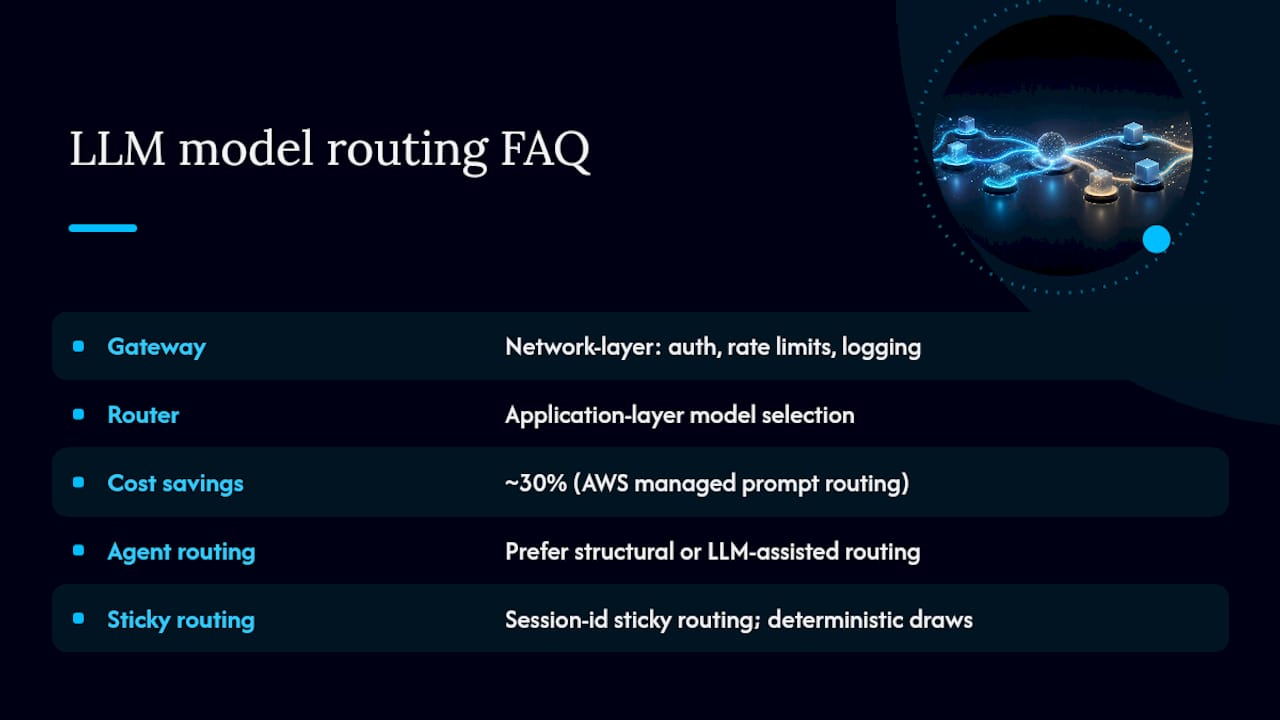
How do I avoid model flip-flopping during a multi-turn conversation? Use session-id-based sticky routing, where the same session consistently lands on the same model tier through deterministic percentage draws, a pattern documented in LLM Gateway’s dynamic routes. This prevents context and tone shifts mid-conversation that come from switching models between turns.
Sources
- Multi-LLM routing strategies for generative AI applications on AWS
- Dynamic Model Routing and Cascading for Efficient LLM Inference: A Survey
- Dynamic Model Routing at Scale with Databricks Model Serving and Feature Store
- LLM Routing: Model Selection, Cost Optimization, and Router Architecture | OpenLegion