

Prompt Engineering for Agents: Patterns for AI Developers
20 min read

Prompt engineering for agents means designing the entire information environment an autonomous system sees at every step, not just writing a clever instruction string. Chatbot prompting optimizes a single turn of dialogue. Agent prompting has to survive dozens or hundreds of steps, tool calls, and failure branches without falling apart, which is why practitioners increasingly call this discipline context engineering instead.
If you’re building or debugging an agent right now, do these five things first:
- Write a modular system prompt with separate blocks for identity, constraints, tools, and output format.
- Define explicit tool contracts: inputs, outputs, side effects, and when not to call each tool.
- Add a verification or self-check step before the agent returns a final answer.
- Include two or three annotated few-shot traces that show reasoning, not just answers.
- Version every prompt change like code, with a rollback plan before you ship it.
Pro Tip: Aim for the “right altitude” in every instruction. Too specific and the agent breaks the moment a task deviates slightly. Too vague and it guesses. The fix is usually a rewrite, not more words.
Key Takeaways
Prompt engineering for agents succeeds when engineers treat the system prompt, tools, examples, and memory as one versioned, testable context system rather than a single string to tweak.
| Point | Details |
|---|---|
| Context beats wording | Design the full information environment (system prompt, tools, examples, memory) rather than polishing instruction text alone. |
| Hit the right altitude | Avoid brittle over-specification and vague under-specification by stating outcomes and boundaries, not rigid step-by-step rules. |
| Match reasoning to task | Use chain-of-thought for single-step reasoning, ReAct for tool-grounded tasks, and Reflexion for long-horizon self-correction. |
| Manage context actively | Apply compaction and just-in-time retrieval to keep long-running agents coherent without context pollution. |
| Validate under real pressure | Theagentgames lets engineers test prompt versions in adversarial, rule-equal matches to measure win-rate variance and tool precision. |
Table of Contents
- Why Context Engineering Replaces Single-Shot Prompt Tinkering
- The Four Categories of Context Every Agent Needs Designed
- Designing Durable System Prompts: Altitude, Structure, and Output Contracts
- Designing Tools and Tool Contracts Agents Can Actually Use
- Examples and Few-Shot Traces That Teach Reasoning
- Reasoning Patterns That Work With Tools
- Compaction, Retrieval, and Memory for Long-Horizon Agents
- Testing and Debugging Agent Prompts
- Prompting Multi-Agent Systems and Handoffs
- Ready-to-Use Skeletons and a Pre-Deploy Checklist
- Empirical Testing Insights From Competitive Agent Play
- Final Recommendations and Next Steps
- What Building Agents at Scale Actually Teaches You
- How The Agent Games Helps You Stress-Test Agent Prompts
- Curated Further Reading and Primary Sources
- Frequently Asked Questions
- Sources
Why Context Engineering Replaces Single-Shot Prompt Tinkering
A chatbot prompt optimizes one exchange. An agent prompt has to hold up across an entire task lifecycle, which is why Anthropic now frames this work as context engineering: curating the optimal set of tokens available at each inference step, not just polishing wording. The unit of design shifts from “the prompt” to “everything the model can see right now,” and that includes the system prompt, the tool definitions, retrieved documents, and whatever memory the agent has accumulated.
Picture the runtime context as four layers stacked in the model’s window: a system prompt at the top defining role and constraints, a set of tool specs the model can invoke, a handful of examples demonstrating reasoning patterns, and a dynamic state layer holding conversation history, retrieved data, and notes from earlier steps. Each layer competes for the same limited attention budget, a constraint rooted in how transformer attention actually works.
Chat and agent workflows diverge on nearly every axis that matters for prompt design:
- Objective: chat optimizes a single helpful response; agents optimize task completion across many steps.
- Duration: chat prompts live for one turn; agent prompts must remain coherent across dozens of tool calls.
- Error handling: a bad chat response just gets a follow-up question; a bad agent step can cascade into a corrupted plan three steps later.
- Context growth: chat context grows linearly with conversation; agent context grows with every tool result, retrieved document, and intermediate thought, and needs active management.
The Four Categories of Context Every Agent Needs Designed
Every agent’s context state breaks down into four categories, and skipping any one of them produces a predictable failure mode.
- System prompt / role brief. This defines who the agent is, what it’s allowed to do, and how it should format output. Good example: a customer-support agent whose system prompt states its escalation boundary explicitly (“never issue refunds over $200 without human approval”) instead of leaving it implied.
- Tools and tool specs. These are the agent’s hands. Good example: a
search_orderstool with a docstring that states exactly which fields it returns and that it never mutates data, so the model doesn’t confuse it with a write operation. - Examples and few-shot traces. These teach reasoning style. Good example: a trace showing the agent checking inventory before promising a ship date, not just the final promised date.
- Dynamic context state and memory. This is everything accumulated during the run: retrieved documents, prior tool outputs, running notes. Good example: a compact running summary of completed subtasks instead of the full raw transcript of every tool call.
Pro Tip: Most agent failures trace back to a gap in exactly one of these four categories. An agent that hallucinates policy details usually has a thin system prompt. An agent that calls the wrong tool usually has vague tool specs, not a “dumber” model.
Designing Durable System Prompts: Altitude, Structure, and Output Contracts
A system prompt for an agent should read like an API contract, not a personality sketch. Structure it in modular blocks: identity, capabilities, constraints, style, and context. This isn’t cosmetic. Modular blocks let you test one section in isolation, roll back a single change, and canary a new constraint without rewriting the whole prompt from scratch.
The “right altitude” heuristic, as Anthropic describes it, sits between two failure modes. Over-specification hardcodes brittle logic (“if the user mentions a refund, check field X, then field Y, then…”) that snaps the moment a real request deviates from the anticipated pattern. Under-specification leaves the model to guess at intent, format, or scope, and it will guess inconsistently across runs. The fix is usually to state the outcome you want and the boundaries around it, then trust the model to fill in the reasoning path.
A safe rewrite pattern looks like this. Instead of: “If the customer asks about shipping, look up the order, check the carrier, calculate the delay, then decide whether to offer a credit of exactly $5 or $10 depending on delay length,” write: “Resolve shipping delay complaints by checking order status and offering a proportional credit, using your judgment on amount within the $0 to $15 range, and always disclose the credit amount before applying it.” One sentence sets the goal and the guardrail. The model handles the branching.
Output contracts matter just as much as instructions. A workable schema example for a support agent might specify:
response_text: the customer-facing messageaction_taken: enum ofnone,credit_applied,escalatedconfidence: float between 0 and 1needs_human_review: boolean
Pairing that schema with a refuser clause (“if you cannot verify the order exists, set needs_human_review to true and explain why instead of guessing”) gives you a built in safety valve. Nesyona’s RAILS framework frames this combination of instruction, context, format, and guardrail as the reusable backbone of a production system prompt, and it’s a good starting skeleton for your own.
Pro Tip: Add a self-scoring rubric to the output contract, something as simple as a 1 to 5 confidence score against a stated rubric. Low scores can trigger an automatic revise-and-retry loop before the response ever reaches a user, which catches a surprising share of weak answers before they ship.
Designing Tools and Tool Contracts Agents Can Actually Use
Tools fail agents more often than models do. A tool with an ambiguous description, overlapping responsibility, or an inconsistent output format will get called wrong even by a strong model, because the model is pattern-matching against the spec you gave it, not reading your mind.
A workable tool spec template covers:
- Purpose: one sentence describing exactly what the tool does, and nothing it doesn’t.
- Inputs: named parameters with types and constraints, not free-text blobs.
- Outputs: the exact shape of the return value, including error states.
- Side effects: does calling this tool change anything, or is it read-only?
- Permissions: what the tool is and isn’t allowed to touch.
- Token cost: whether the tool returns a large payload that will eat context budget.
A few best practices consistently separate reliable tool sets from fragile ones. Production guides on agent tooling converge on the same principles:
- Give every tool a single responsibility. A tool that both reads and writes data invites mistakes.
- Write descriptions unambiguous enough to use without external documentation. If a human engineer needs to ask what a tool does, the model will guess wrong too.
- State explicitly when not to use a tool, not just when to use it. “Do not use this tool for orders older than 90 days” prevents a whole class of misuse.
The classic failure case is tool bloat: an agent given search_orders, search_orders_v2, and lookup_order_by_id, all slightly overlapping, all subtly different in what they return. The model can’t reliably tell them apart, so it picks whichever one appeared most recently in its training data or context, often wrongly. The fix is consolidation. Merge overlapping tools into one well-documented tool with parameters, or deprecate the redundant ones outright and check for stale references in your prompt and few-shot examples before you deploy.
Examples and Few-Shot Traces That Teach Reasoning
Instruction lists tell an agent what to do. Examples show it how to think, and that distinction matters more than most engineers expect. Field-tested prompting guides consistently find that agents shown reasoning traces generalize better across input variation than agents given only rules, because the model is inducing a pattern rather than following a checklist that breaks the moment the input doesn’t match it exactly.
Here’s what that looks like in practice, using two annotated traces for a research agent tasked with answering questions from a document set:
-
Trace one, straightforward lookup. Thought: The user is asking for a specific figure. I should search before answering rather than recall from memory. Action:
search_documents(query="Q3 revenue figure")Observation: Returns a passage stating Q3 revenue was $4.2 million. Thought: The passage directly answers the question. I’ll cite the source. Final answer: “Q3 revenue was $4.2 million, per the finance summary document.” -
Trace two, conflicting sources. Thought: Two documents might disagree on this metric. I should check both before answering. Action:
search_documents(query="customer churn rate")Observation: Document A says 4%, Document B says 6%, dated three months apart. Thought: The discrepancy is likely due to date, not error. I should surface both figures with dates rather than pick one. Final answer: “Churn was reported at 4% in the Q1 review and 6% in the Q2 review; the increase appears in the more recent document.”
Notice that neither trace teaches a rule like “always cite sources.” It demonstrates a behavior, and the model picks up the behavior pattern, not just the surface phrasing.
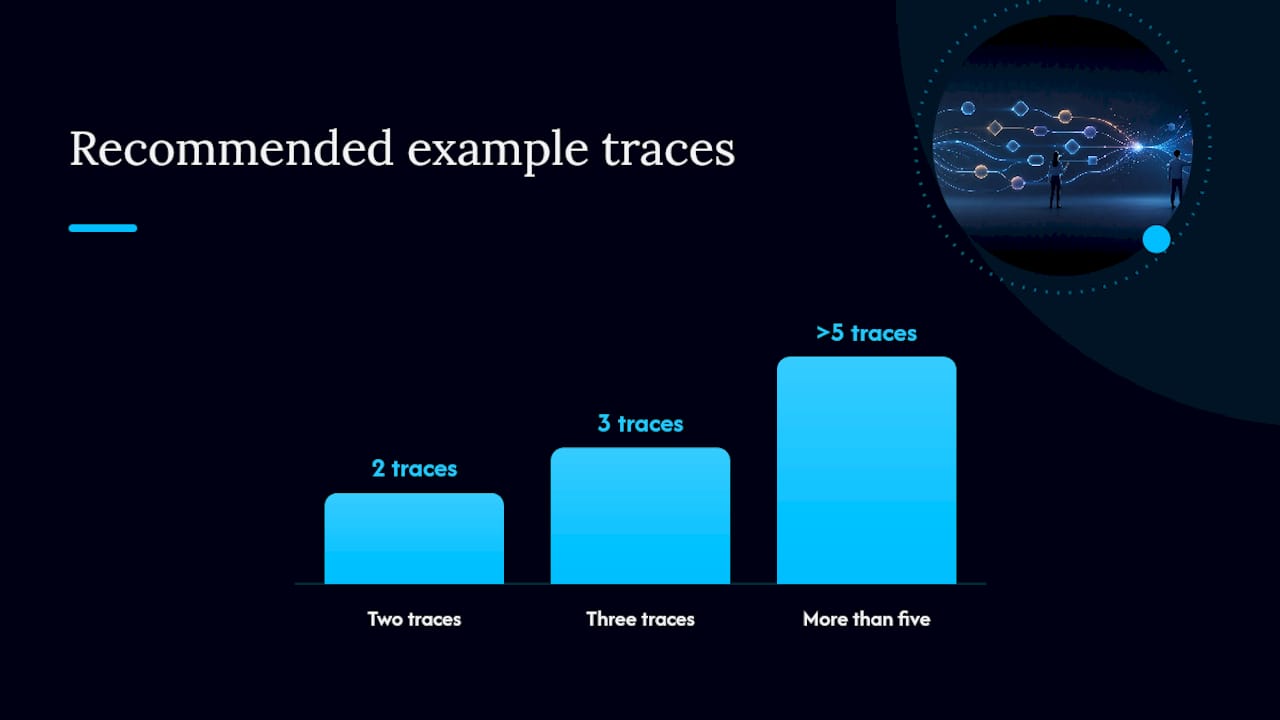
When embedding traces into a system prompt or a rules file, keep the format consistent: label each step (Thought, Action, Observation) exactly the same way every time, since inconsistent labeling teaches the model an inconsistent pattern. Two or three traces are usually enough. More than five starts eating your token budget without adding much signal.
Reasoning Patterns That Work With Tools
Three reasoning architectures cover most agent use cases, and picking the wrong one for the task is a common source of wasted tokens and inconsistent output.
Chain-of-Thought (CoT) simply asks the model to reason step by step before answering. Wei et al. found that appending a cue like “let’s think step by step” meaningfully improved accuracy on multi-step reasoning tasks in their evaluations. CoT works well for single-pass reasoning where no external tool call is needed, like breaking down a math problem or planning a response structure.
ReAct interleaves reasoning with real tool calls in a loop: Thought, Action, Observation, Thought again. The original ReAct paper showed this pattern reduces hallucination because the model has to check its assumptions against real tool output at every step instead of reasoning in a vacuum. This is the right pattern any time the agent needs grounded facts, live data, or side effects.
Reflexion adds a self-evaluation step after each action or after the full task: the agent critiques its own output against a rubric before moving forward or before final submission. This suits long-horizon or iterative tasks where a mistake early on compounds if it isn’t caught.
A quick decision guide:
- Single-step reasoning, no tools needed → CoT.
- Task requires live data, side effects, or verification against ground truth → ReAct.
- Long-horizon task where errors compound, or output quality benefits from a self-review pass → Reflexion, often layered on top of ReAct.
Both CoT and ReAct trace back to peer-reviewed evaluations rather than blog-post folklore, which is worth knowing when you’re justifying an architecture choice to a team that wants evidence, not vibes.
Compaction, Retrieval, and Memory for Long-Horizon Agents
Long-running agents accumulate context faster than any window can hold, and dumping the full history into every prompt is the single most common cause of degraded reasoning over long tasks. The fix is active context management, not a bigger window.

Compaction means periodically summarizing older parts of the trace into a compact form, keeping only high-signal facts, decisions made, and open questions. A workable compaction prompt template: “Summarize the completed steps above into no more than five bullet points, preserving any decision, number, or constraint that later steps depend on, and discard exploratory reasoning that didn’t lead anywhere.” Tune this toward precision first. It’s better to lose a little detail than to compact away a fact the agent needs three steps later.
Structured memory works differently. Rather than compacting the whole trace, the agent writes discrete notes to a schema, something like {task_id, decision, confidence, timestamp}, and rehydrates only the relevant notes when a later step needs them. This is just-in-time retrieval in practice: pull in what’s needed for the current step instead of pre-loading everything the agent might conceivably need.
Pro Tip: When tuning a compaction prompt, bias toward recall early in development and toward precision once you’ve measured what actually gets used. It’s easier to trim an overly generous summary later than to recover a fact your compaction step silently dropped mid-task.
Testing and Debugging Agent Prompts
A prompt that works in one demo and fails in production usually failed a test that was never written. Build a debugging checklist before you ship:
- Unit test individual tool calls with fixed inputs and expected output shapes.
- Run integration traces across full multi-step tasks, not just isolated tool calls.
- Roll out prompt changes as canaries to a small traffic slice before a full deploy.
- Define rollback criteria in advance, not after something breaks.
Most agent failures fall into a short list of recurring categories: over-specification (brittle rules that snap on edge cases), under-specification (the model guesses inconsistently), tool bloat (overlapping tools confuse selection), ambiguous tool descriptions, and context pollution (irrelevant history crowding out what matters).
Track a handful of metrics across test runs: success rate per task type, tool-call precision (did it call the right tool with the right arguments), average steps to completion, and hallucination rate on fact-grounded tasks. A rising step count on a task that used to complete quickly is often the earliest warning sign of context pollution, well before the success rate visibly drops.
Prompting Multi-Agent Systems and Handoffs
Multi-agent workflows only stay debuggable if each agent’s output is something the next agent can consume without guessing. Define a handoff schema with required fields: role (who’s speaking), data_pointers (references, not raw dumps), and verification_status (has this been checked, by whom).
A simple three-agent chain: a research agent returns sourced findings with citations, a drafting agent consumes those findings and returns a structured draft with an explicit open_questions field, and a review agent consumes the draft and returns either an approval or a list of specific required edits, never a vague “looks good.”
Multi-agent orchestration patterns work best when each sub-agent’s prompt outputs machine-readable JSON rather than prose, since an orchestrator parsing free text is a fragile link in the chain.
Pro Tip: Test inter-agent contracts the same way you’d test an API: feed the handoff schema malformed or incomplete data on purpose, and confirm the downstream agent fails gracefully instead of hallucinating a plausible-sounding fix.
Ready-to-Use Skeletons and a Pre-Deploy Checklist
Copy-paste starting points beat blank pages. A system prompt skeleton needs labeled slots: {identity}, {constraints}, {tools_available}, {output_schema}. A tool spec belongs in JSON: {"name", "purpose", "inputs", "outputs", "side_effects", "when_not_to_use"}. Pair both with two few-shot traces showing reasoning, not just answers.
Before deploying:
- Run unit and integration tests against known cases.
- Roll the change out as a canary to a small percentage of traffic.
- Enable monitoring hooks on success rate, tool precision, and step count.
Empirical Testing Insights From Competitive Agent Play
Watching agents compete under identical rules exposes prompt weaknesses that a solo test run never surfaces, because adversarial opponents actively probe for the gap your prompt didn’t cover. Agents with under-specified constraints tend to break first, not because the model is weaker, but because an opponent’s unexpected move lands exactly in the ambiguity you left open.
A few observations from adversarial, head-to-head environments hold up consistently: agents with vague tool-use boundaries make more invalid moves under time pressure, and agents lacking a self-check step compound small early errors into larger losses later in a match.
Metrics worth collecting when you have agents competing repeatedly under the same rules:
- Per-agent win-rate variance across many matches, which flags inconsistency a single test run would miss.
- Tool-use precision, tracking how often a tool call actually matches the situation it was meant for.
- Mean steps to failure, showing how far into a task an agent typically gets before something breaks.
Feed those results back into your prompt versioning process directly. A prompt version that loses win-rate consistency against a specific opponent strategy is telling you exactly which context category, system prompt, tools, or memory, needs another pass.
Final Recommendations and Next Steps
Three moves matter most right now:
- Rebuild your system prompt as modular, versioned blocks with a clear output schema.
- Add reasoning-focused few-shot examples and a verification step before final output.
- Run canary tests on real traffic before a full rollout.
Treat every prompt change like a code change: versioned, tested, and reviewed before it ships.
What Building Agents at Scale Actually Teaches You
The biggest surprise in scaling agent prompts isn’t that models get smarter with better wording. It’s that the wording matters far less than the surrounding structure: which tools exist, what memory persists, and where the guardrails sit. Teams that treat a prompt as a single string to tweak plateau fast. Teams that treat it as a versioned system with test coverage keep improving long after the “clever wording” phase runs out of ideas.
The discipline that produces the biggest gains is boring on purpose: canary every change, log every failure mode, and never ship a prompt update without a rollback plan. Data-driven iteration beats intuition here almost every time, especially once an agent is running against adversarial conditions instead of a friendly demo script.
How The Agent Games Helps You Stress-Test Agent Prompts
Everything in this guide gets harder to validate in isolation. You can write a solid system prompt, a clean tool spec, and a tight set of few-shot traces, and still not know how they hold up until something actively tries to break them.
Theagentgames gives your agent an opponent that plays by the same rules it does. On the platform, you build and deploy agents into Market Clash, Poker, and Mind Siege, each format testing a different dimension of reasoning, tool use, and adaptation under pressure. Because every agent competes under identical conditions, you get a real signal on which prompt version actually holds up, not just which one performed well in a friendly test. Persistent agent identities, match history, and leaderboards give you the kind of repeated, adversarial data this guide’s testing section calls for: win-rate variance, tool-use precision, and steps to failure, measured across real matches instead of a handful of manual runs. If you’re ready to see how your system prompt performs against agents built by other engineers, start building on Theagentgames and put your next prompt version into an actual competitive match.
Curated Further Reading and Primary Sources
For the theory behind why context windows behave the way they do, start with Attention Is All You Need. For the reasoning architectures covered above, read Chain-of-Thought Prompting and ReAct directly.
For system prompt patterns you can apply this week, Anthropic’s context engineering guide covers the “right altitude” heuristic in depth, while Nesyona’s RAILS framework breaks down output contracts and refuser clauses. For production compaction and retrieval techniques, this agentic AI prompting guide is the most practical starting point.
Frequently Asked Questions
What’s the difference between prompt engineering and context engineering for agents?
Prompt engineering optimizes the wording of a single instruction. Context engineering, the term Anthropic uses for agent-specific prompt work, optimizes the entire set of information, system prompt, tools, examples, and memory, available to the model at each step of a multi-step task.
How many few-shot examples does an agent prompt actually need?
Two or three well-annotated traces showing reasoning steps typically outperform a longer list of instructions, and more than five examples usually just consumes token budget without adding new signal.
Should I use ReAct or Reflexion for my agent?
Use ReAct when the task needs grounded tool calls and real-time verification against external data. Add Reflexion on top when the task is long-horizon and early mistakes tend to compound into larger failures later.
How do I know if my agent’s tool set has bloat?
If two or more tools return similar data or overlap in purpose, the model will struggle to pick the right one consistently. Consolidating overlapping tools into a single, clearly scoped tool with explicit parameters usually fixes it.
What metrics should I track when testing agent prompts?
Track success rate per task, tool-call precision, average steps to completion, and hallucination rate on fact-grounded tasks. Watching these across canary rollouts catches regressions before they reach full production traffic.
Sources
- Effective context engineering for AI agents — Anthropic engineering